Breaks and rest times
Enter breaks, get reminded when one is due and see your rest time after the shift.
bordero counts your work time and reminds you of breaks. After the shift the home page shows how long your rest time still has to run.
bordero is a personal logbook. It does not replace a tachograph or any legally required record of driving and rest times. All hints are guidance without guarantee.
Enter a break
- Open the sidebar with the bordero logo and tap Breaks.
- Tap 15′, 30′ or 45′. The break starts now, and the app shows how long it still runs.
The pencil changes the start and length of a break, the bin deletes it. That is also how you add a break you forgot.
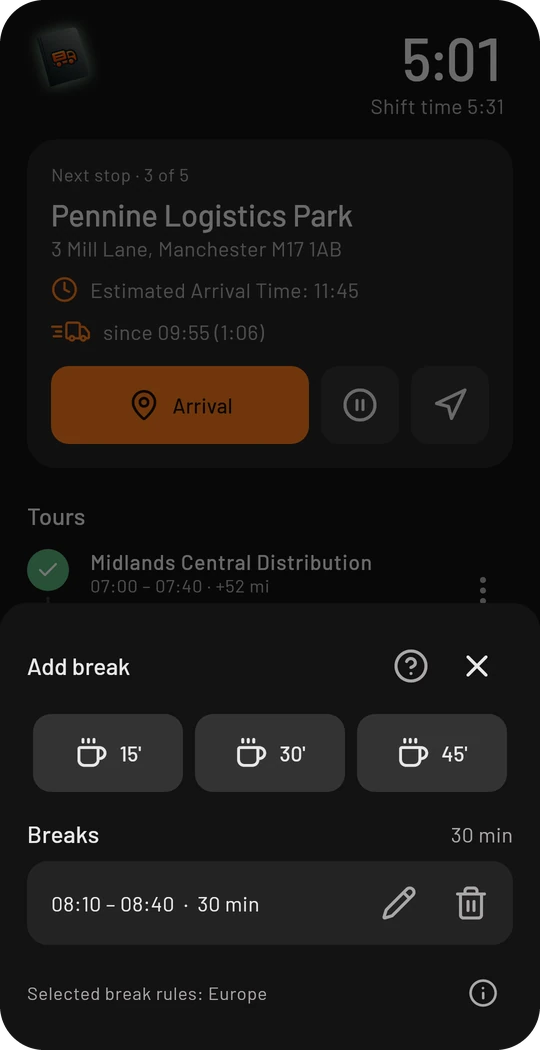
The break regulation
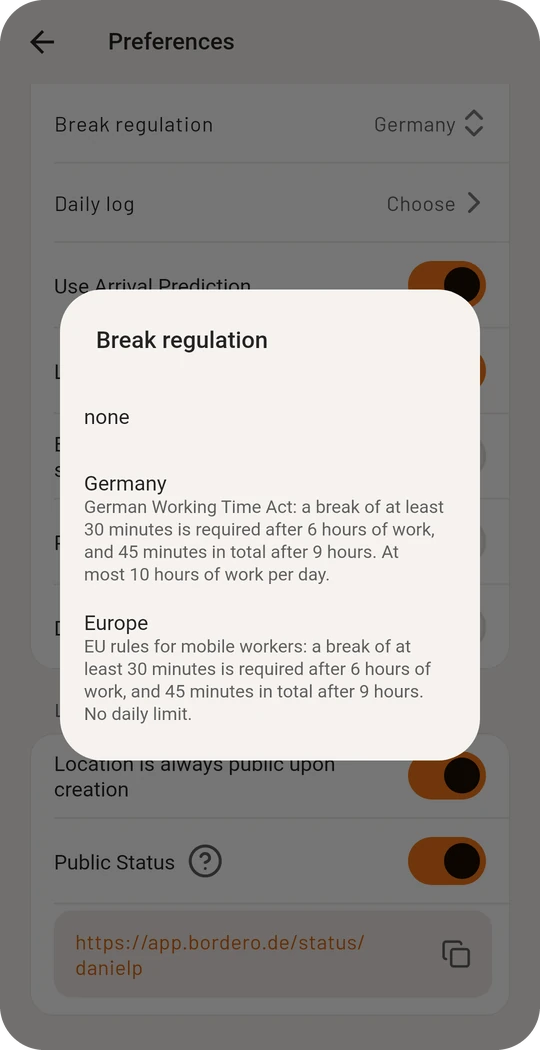
Under Preferences → Break regulation you choose what the app calculates with:
- Germany (Working Hours Act): after 6 hours of work a break of at least 30 minutes, after 9 hours 45 minutes in total, at most 10 hours of work a day
- Europe (EU rules for mobile workers): the same breaks, without a daily limit
- none: the app does not remind you
The logo at the top left of the cockpit shows where you stand at a glance: it glows green while everything is fine, yellow when a break is due soon and red when it is overdue.
Only work time is counted. The app does not know driving times as a tachograph records them.
Rest times after the shift
Without a running shift the home page shows the Rest times card:
- Daily rest: when the reduced (9 h) and the regular rest (11 h) is reached, with the time of day, and how many reductions are still free until the next weekly rest
- Weekly rest: by when it has to begin at the latest
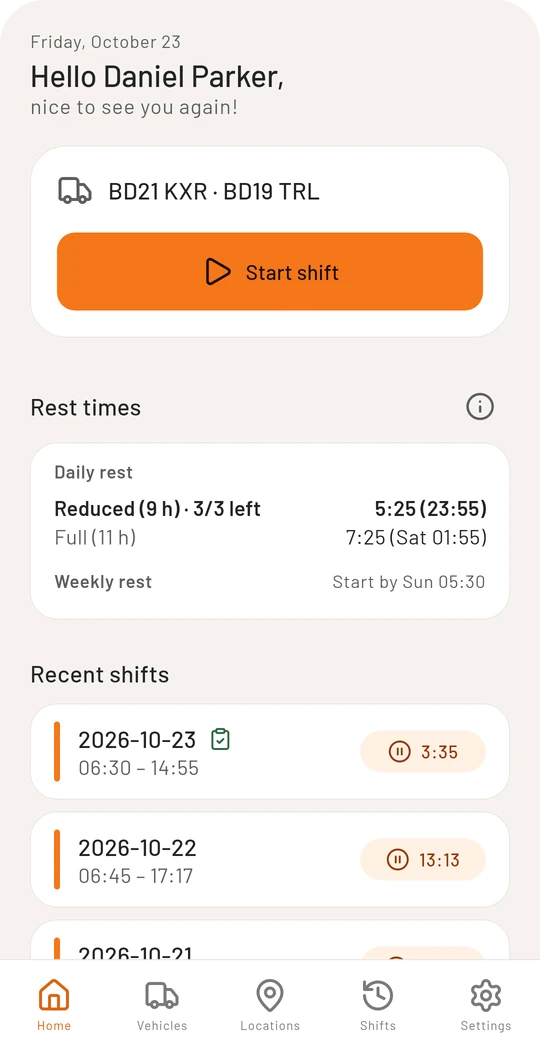
The card is calculated from your finished shifts. It does not cover the split daily rest (3 + 9 hours), compensation for reduced weekly rests, or interruptions on a ferry or train.