Map
See the stops of a shift, the route along the roads (Premium) and all your places on the map.
The map shows where your stops are and in which order you visit them. It is free for everyone and needs an internet connection.
Open the map of a shift
- During the shift: Tap the map symbol at the top of the cockpit, or choose Map in the sidebar.
- For an earlier shift: Tap the map symbol at the top of the shift details.
What you see
- Every stop is a number on the map, as in the tour list. The stop that is next is orange. Stops you have already left are gray.
- A dashed line joins the stops in the order of the shift. It is a straight connection and does not show the route along the roads.
- A blue dot shows your position when the app knows it. The app asks for the location permission for that. If you say no, the map stays usable.
Tap a number to see name and address and to start navigation.
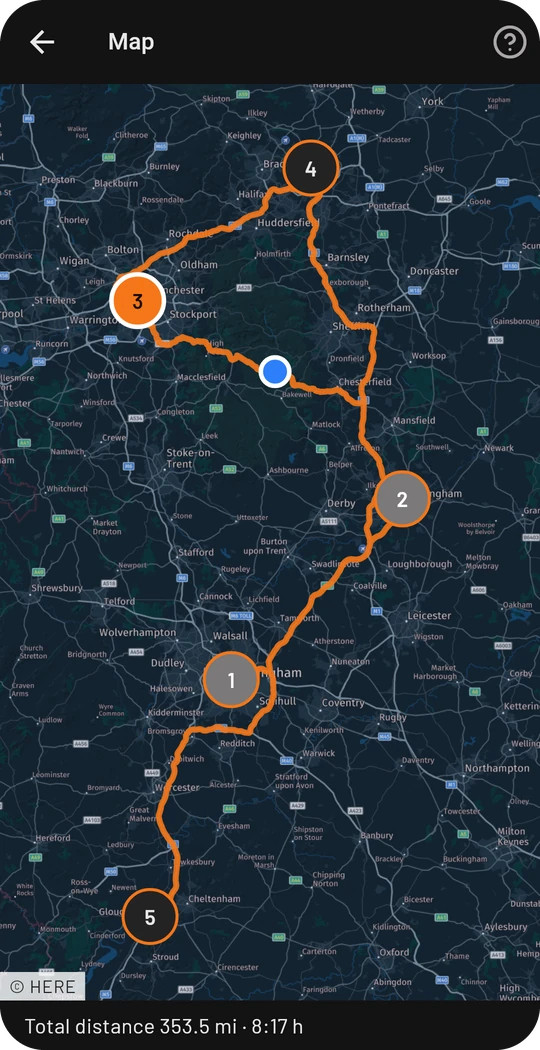
Route along the roads (Premium)
With Premium the map shows the real route along the roads, calculated for trucks, as a solid line instead of the dashed straight line. Below the map you see the total distance with driving time. Tap a stop to also see distance and time from the previous stop. The figures are a guide without traffic and do not replace a navigation device.
The route needs an internet connection. If it is not available right now, the map keeps showing the straight line and says so. Without Premium a note about the feature appears below the map.
All places on the map
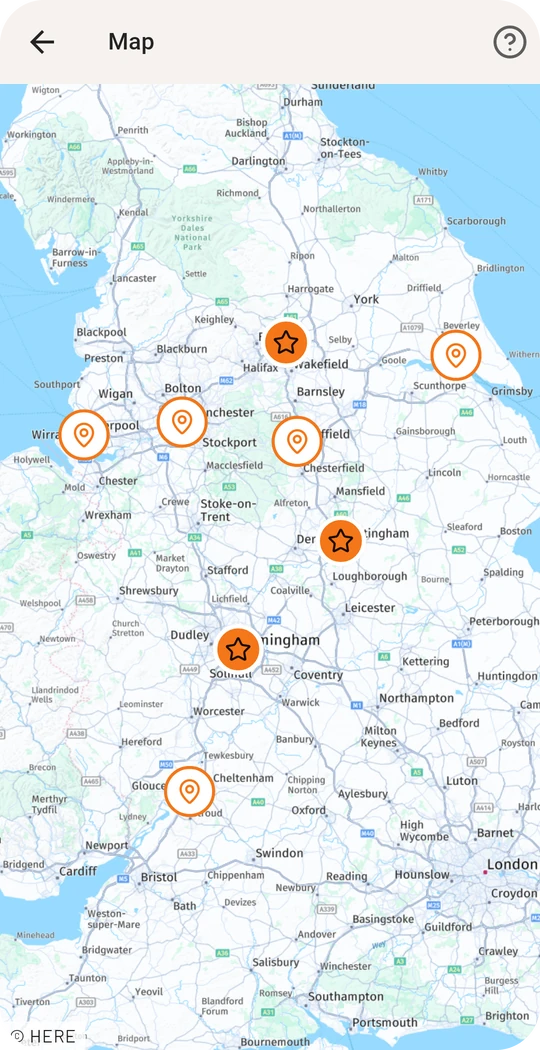
In the Locations tab, the map symbol at the top opens a map with all your places. Favorites are orange with a star, the others a plain dot. Tap a place to see name and address and to open its details or start navigation. The places come from the offline catalog, so the list is complete. The map pictures still need an internet connection.
Stops without a position
If the app does not know the position of a place, for example because the address was not found, it is missing from the map. Below the map you see how many stops that concerns. In that case, correct the address of the place.
Privacy
The map pictures come from HERE Technologies. HERE learns the IP address of your device and which part of the map you are looking at, but nothing about your shifts. For the route along the roads our server sends the coordinates of the stops to HERE, without any information about you. More in the privacy policy.