Driving a shift
From the start of the shift through arrival and departure to the end.
A shift is the time between starting and finishing work. Everything you record on the road belongs to it: tours, breaks, mileage and loads.
Start a shift
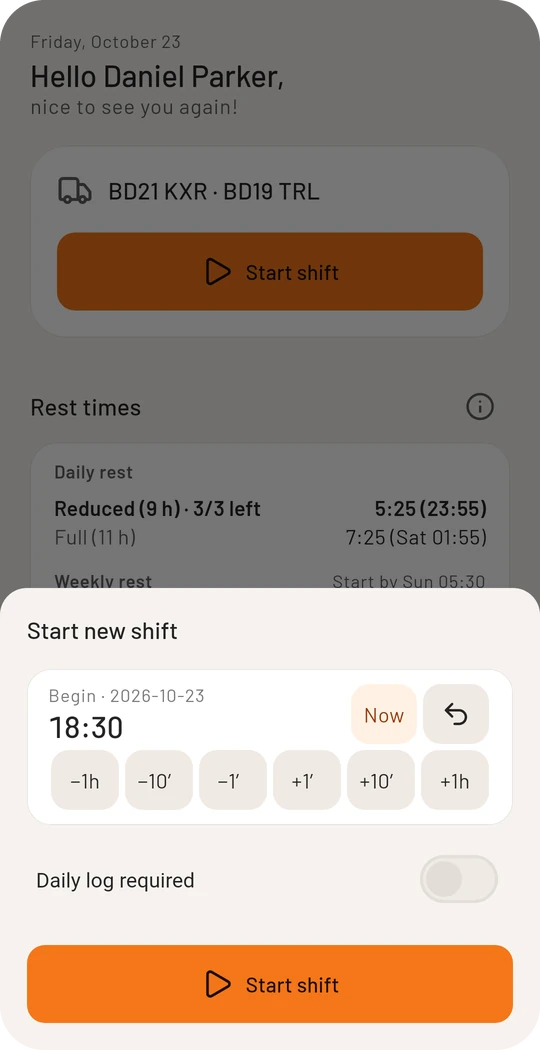
- Tap Start shift on the home page.
- The time is set to now. If you started earlier, correct it with the buttons below (−1h, −10′, −1′ …).
- Confirm with Start shift.
The cockpit
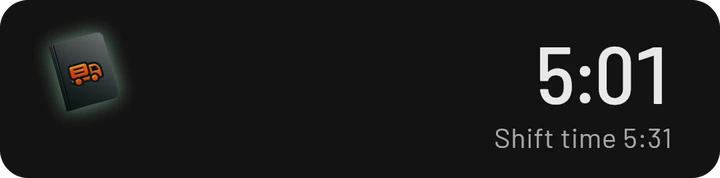
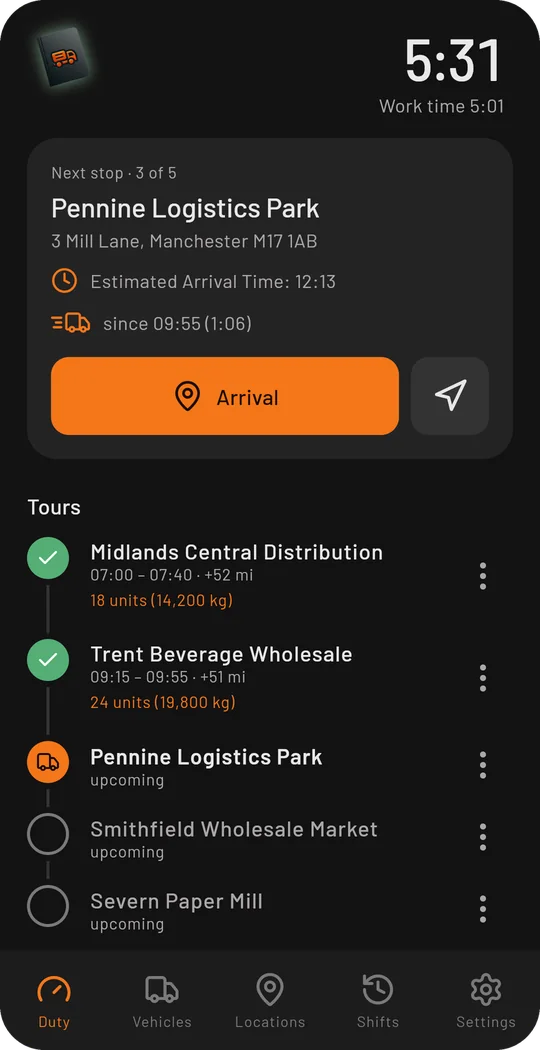
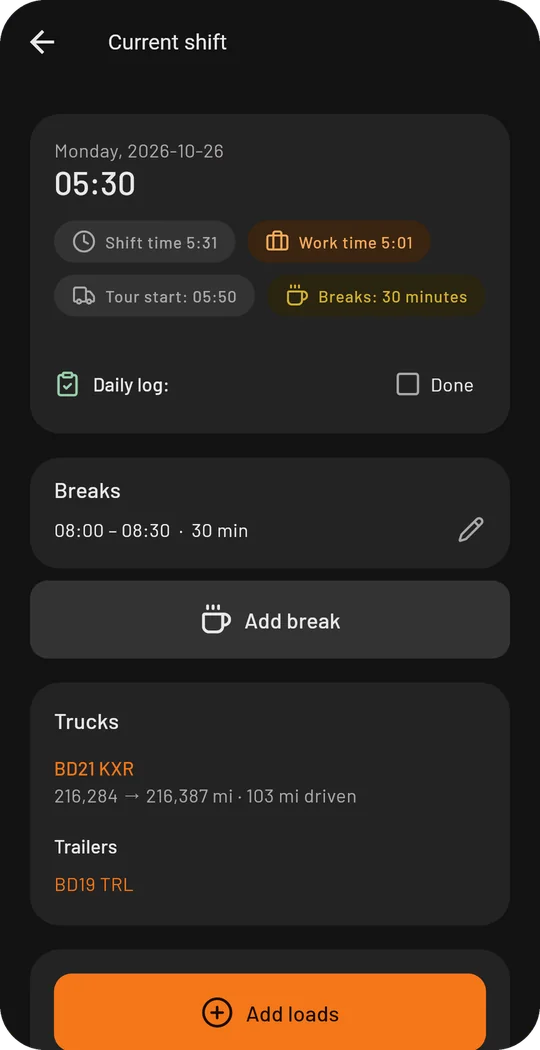
During the shift the first tab shows the cockpit. Your work time runs at the top right, with the shift time (work time plus breaks) below it. Tap the time to open the details of the running shift.
The large card always shows the next step. Below it are your tours in the order you drive them.
Arrival and departure
How to add locations as tours is covered in Tours and locations. After that, every stop follows the same pattern:
- Tap Arrival when you are there. The time is taken over, and you enter the mileage on the large keypad.
- The card switches to “On site” and counts the time you stand.
- Tap Departure when you drive on.
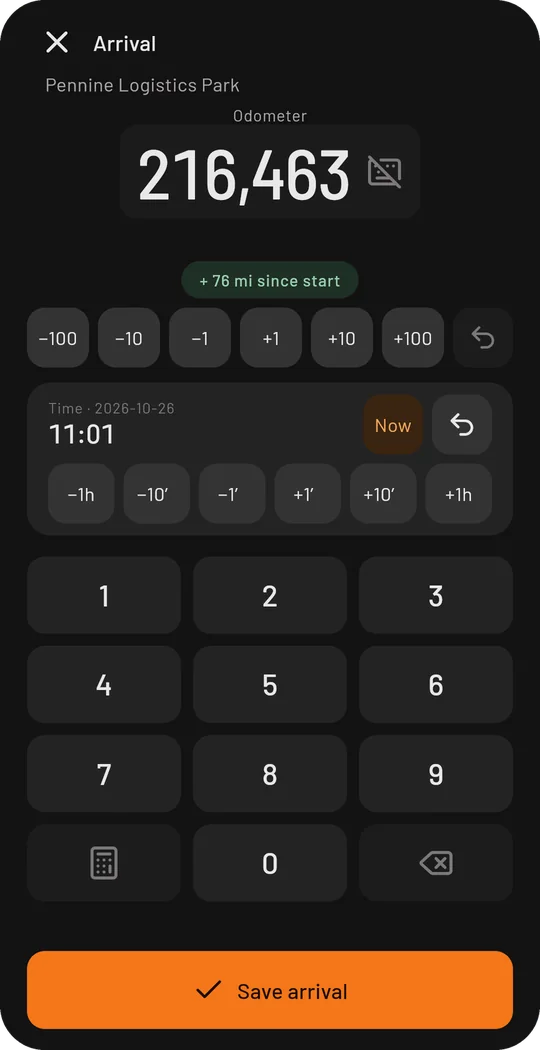
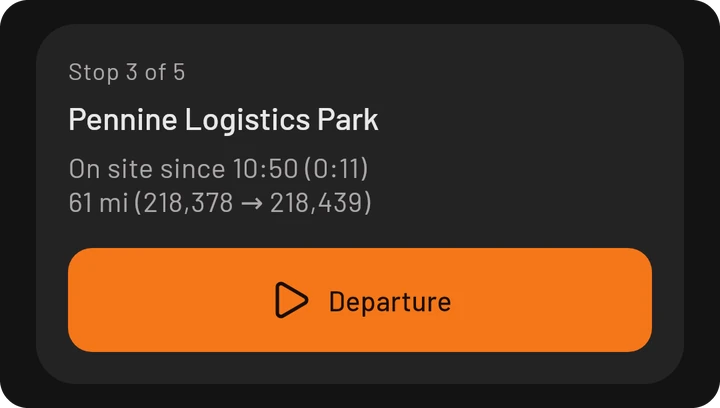
The arrow to the right of “Arrival” opens the destination in your navigation app.
Mistyped a time or forgot the arrival? Every time can be set back while you enter it and corrected later with “Edit tour”.
The sidebar
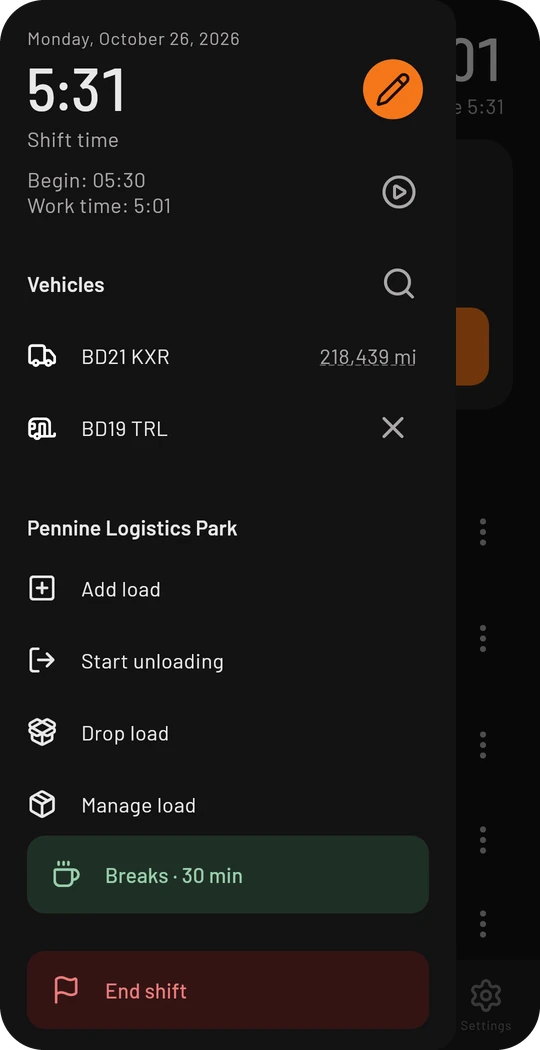
Tap the bordero logo at the top left to open the sidebar. It shows what fits right now: the current vehicles with their mileage, actions for the stop you are at, your breaks and the end of the shift. The glow of the logo shows your break status: green is fine, yellow means a break is due soon, red means it is overdue.
End the shift
- Open the sidebar and tap End shift.
- If tours are still open, the app asks whether to take them along to the next shift. More in Multi-day tours.
- Set the time and confirm with End.
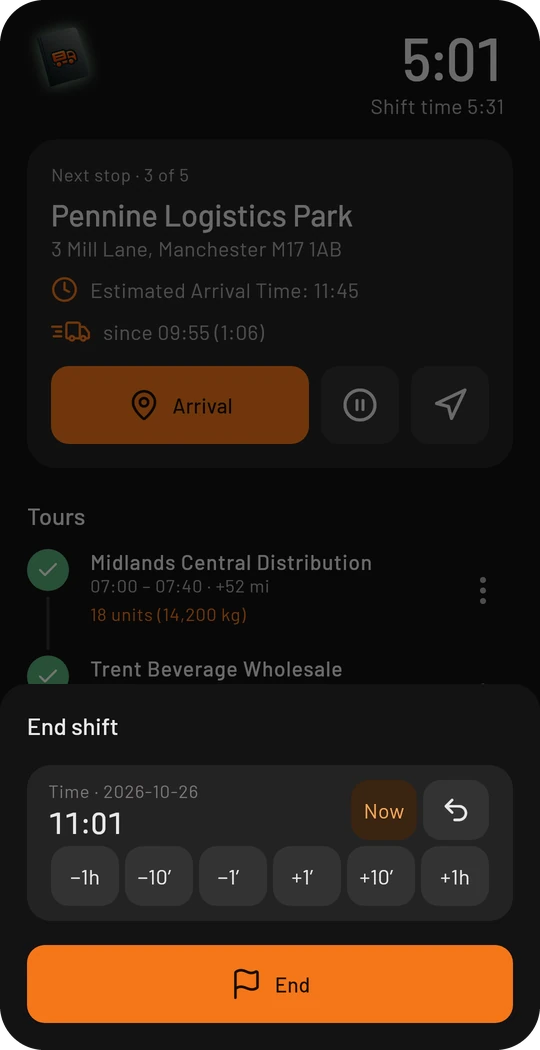
The shift is then listed under Shifts, and the home page shows your rest times.
Detect trips automatically
On Android the app can tell during a shift whether you are driving or standing. If the matching departure or arrival is missing, it asks you. Switch it on under Preferences → Detect trips automatically. The positions stay on the device.