Templates
Fixed suggestions for entries that repeat, for vehicles and loads.
Some things you type again and again: the same manufacturer, the same body, the same goods. With templates you set such values once. The app then offers them in the matching field, ready to tap. Templates are part of Premium.
Maintain your templates
- Open Settings → Templates.
- In a list, tap Add …, enter the value and confirm. Every value appears as a small chip, the cross next to it removes it again.
- Save.
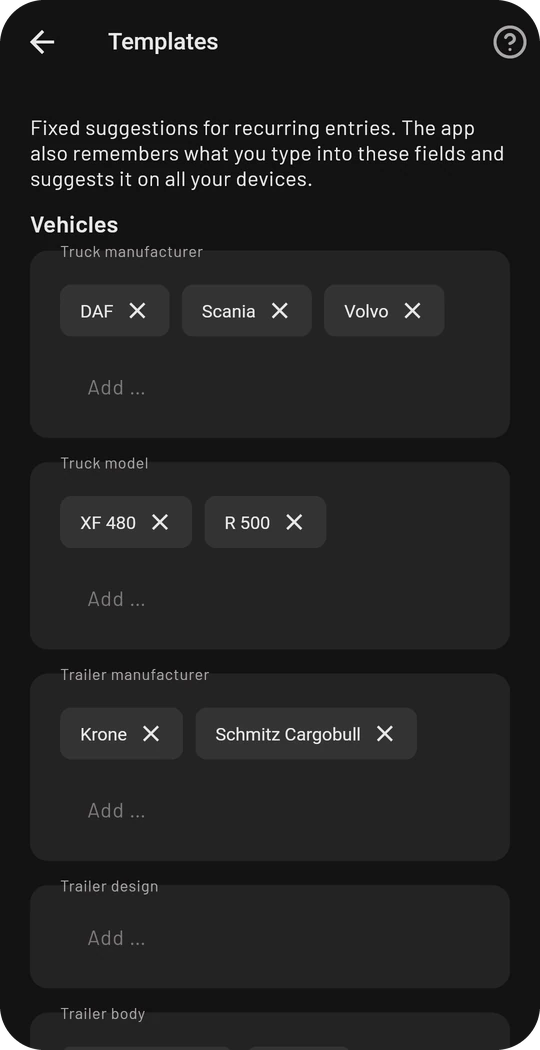
There are lists for:
- Vehicles: manufacturer and model of the truck, manufacturer, design and body of trailers and swap bodies
- Loads: name and reference
Where templates appear
The suggestions stand right below the field as soon as you tap into it: when you add or edit a vehicle and when you add a load. Tap a suggestion to take it over. If you keep typing, only the matching suggestions remain.
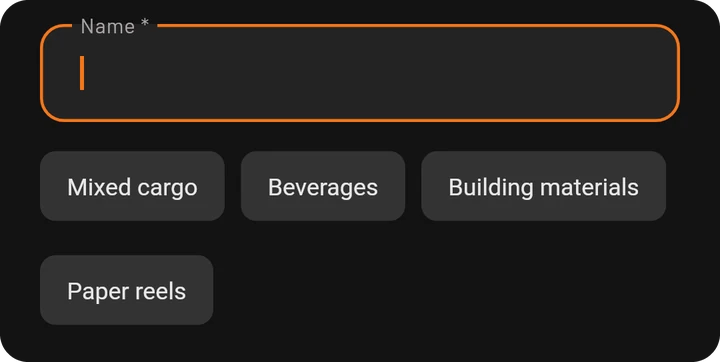
What the app learns by itself
In addition to your fixed templates the app remembers what you type into these fields and suggests it the next time, with Premium on all your devices. Your fixed templates always come first, the learned values after them.
Without Premium the app remembers your latest entries as well, but on this device only.