Proof mode and expenses
Be able to prove your times, with an edit window, a change log and an expense report as PDF.
Proof mode is for everyone who has to prove their times, for example for the meal allowances in a German tax return. It is free for all accounts.
Proof mode is not a logbook in the sense of tax law, and the expense report is not tax advice. It is not available on this device only: only the server can vouch for when something was changed.
Switching it on
Under Settings → Preferences, in the “Shift” section, you find the switch Proof mode.

Three things change when it is on:
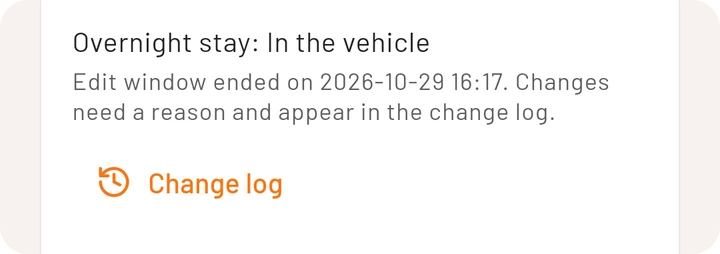
- Edit window: shifts, stops and breaks can be changed freely for 7 days after the end of the shift. After that every change needs a reason, and the shift can no longer be deleted.
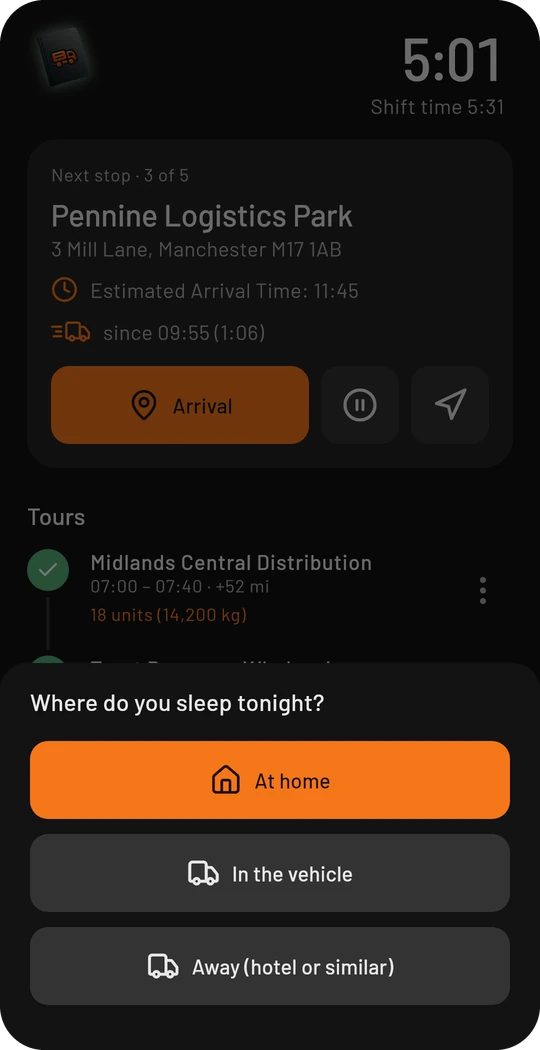
- Overnight stay: at the end of the shift the app asks where you spend the night.
- Change log: every shift shows what was changed and when.
The question about the night
When you end a shift, you first enter the time of the shift end. Then the app asks where you spend the night: At home, In the vehicle or Away. What you chose at the last shift end is the first option and highlighted, because most drivers give the same answer every time. The answer decides whether the expense report counts the day as a one-day absence or as part of a trip over several days.
Edit window and change log
The details of a shift show the overnight stay, the deadline and the way to the log.
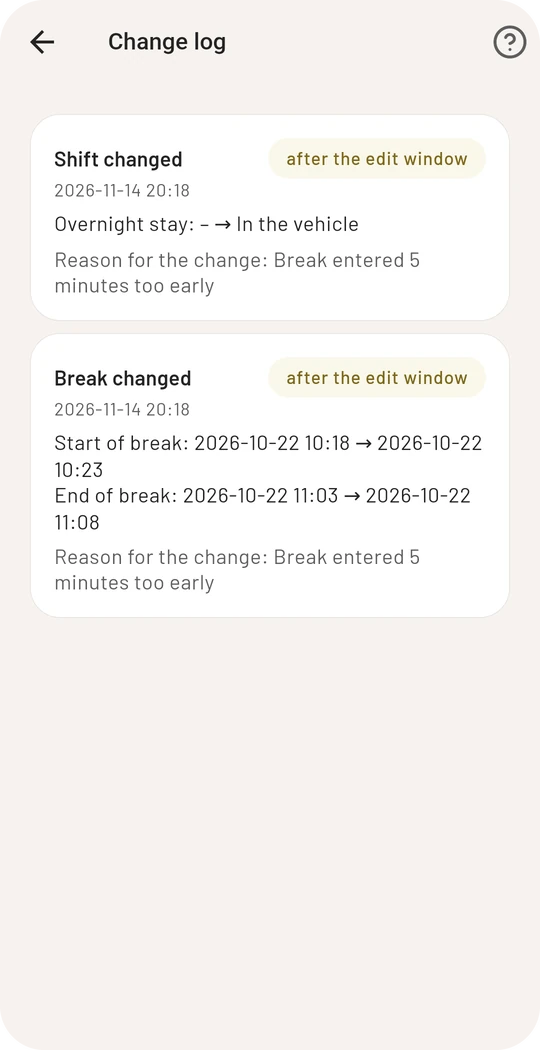
The log lists every change to the shift, its stops and breaks with the time, the old and the new value. Changes after the deadline are marked and show your reason. Entries cannot be deleted or altered afterwards.
By the way, the log is always written, even while proof mode is off. The switch only decides whether it is shown and whether the deadline applies.
Expense report
Open the expense report from Statistics with the calculator symbol at the top right. From your finished shifts it works out your absence from home and the German flat rates for it:
- absent for more than 8 hours, and on the days of departure and return: the small rate
- whole days on the road: the large rate
- per day with a night in the vehicle: the overnight rate
The current amounts are shown in the app right below the total.
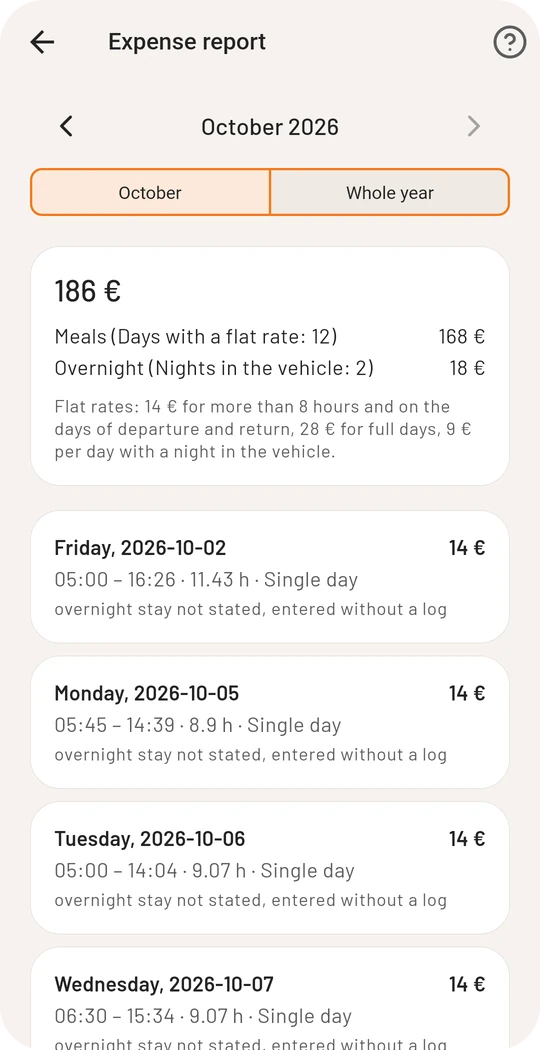
You choose a month or the whole year and export the list as PDF or CSV. Every day also says whether the overnight stay was given and whether something was changed afterwards.
Rates for other countries, reimbursements by your employer and meals provided are not taken into account. You have to deduct those yourself.