Loads
Record the load per stop and keep the times of loading and unloading.
With loads management you record what you loaded or unloaded at which stop. In the end the shift shows units and weight per stop and in total.
Loads are a Premium feature. If you do not need them, switch loads management off in the preferences.
Add a load
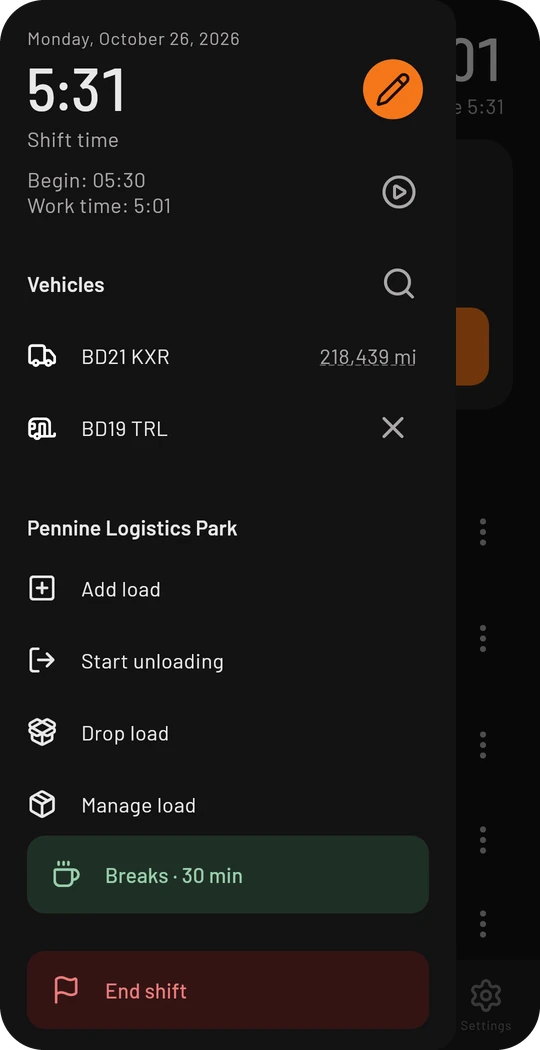
When you are at a stop, the sidebar offers Add load. The three dots next to every tour do the same.
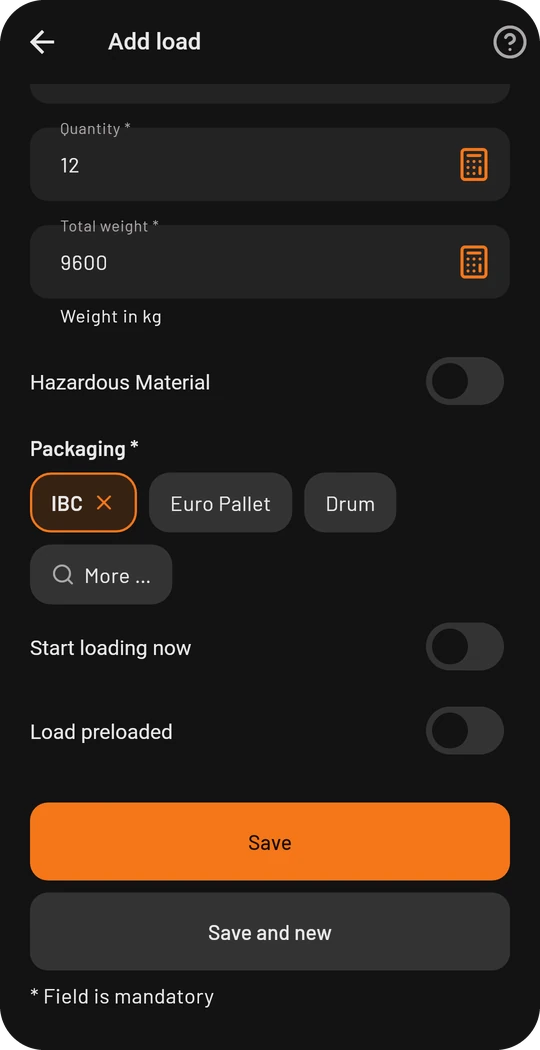
- Enter description, quantity and weight. Numbers go in with the built-in calculator.
- Choose the packaging from the list, for example Euro pallet or IBC. Dangerous goods can be marked.
- At the bottom decide whether you start loading now or whether the load was already preloaded.
- Save.
Loading and unloading
Depending on the situation the sidebar shows the fitting actions:
- Start loading and finish it
- Start unloading and finish it
- Drop load when you only drop the trailer or the goods and do not unload yourself
The app keeps the times. Meanwhile the cockpit says “Loading in progress…” or “Unloading in progress…”.
View and change loads
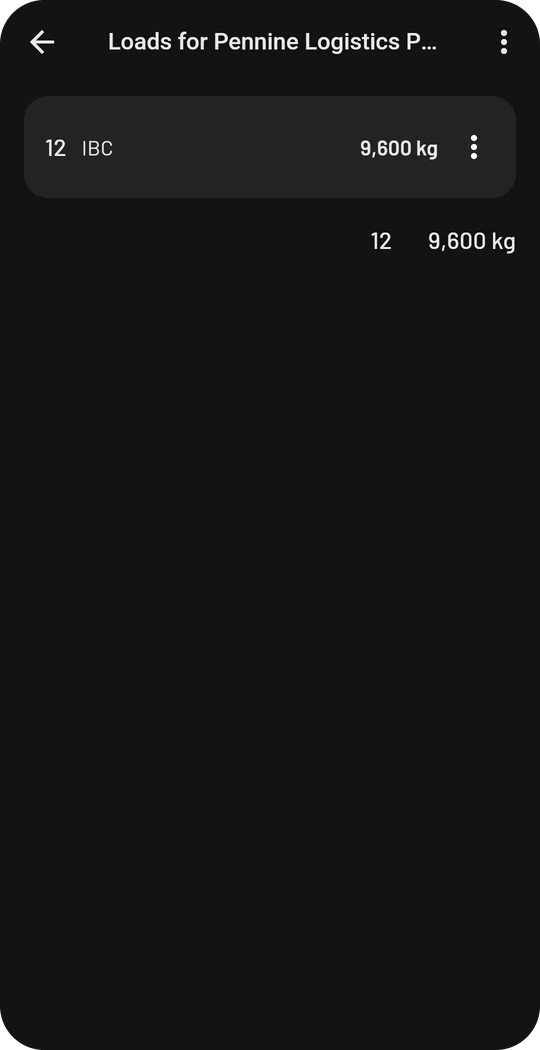
Manage load shows all loads of the stop with their total. With the three dots you change a load or record that part of it was rejected.
In the tour list of the cockpit, units and weight stand in orange below every finished stop. The shift details later show the total weight.
Photos of a load
Tap a load to open its details. Under Images you can take a photo or pick one from the gallery, for example the delivery note. Tap a photo to see it large, add a note or delete it. Photos need an internet connection, adding them does not work offline. If you delete the load, its photos are removed too.