Dimensions and weights
Keep the axles, weights and size of your vehicles so the route along the roads respects restrictions.
With Dimensions and weights you record how heavy and how big your vehicle is: axles, empty weight, permissible gross weight, height, width and length. The route along the roads on the map uses it to avoid roads with weight, height or time restrictions. It is a premium feature.
Add templates
A template describes a vehicle or a part of it, for example “Tractor unit” or “Reefer trailer”. You can add as many as you like, they are not tied to truck, trailer or swap body.
- Settings → Dimensions and weights, tap + at the top. You can also add a template right when you add or edit a vehicle (see below).
- Enter name and axles. Both are required.
- Enter empty weight, permissible gross weight, height, width and length as precisely as you know them. Weights are in your unit (kg or lb, see the preferences), sizes in metres.
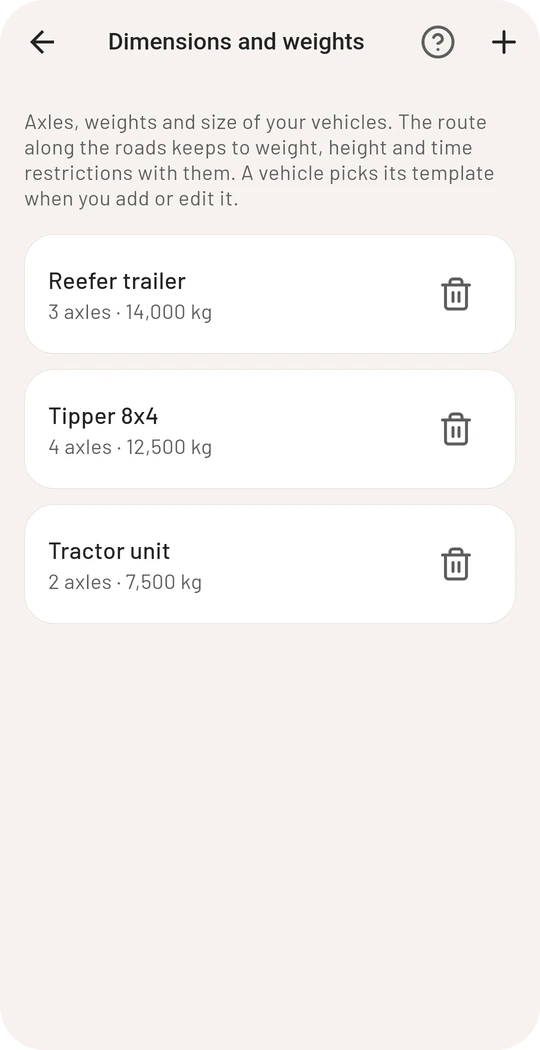
Tap a template to change it, or the trash can to delete it. Vehicles that use it have no dimensions afterwards but are otherwise unchanged.
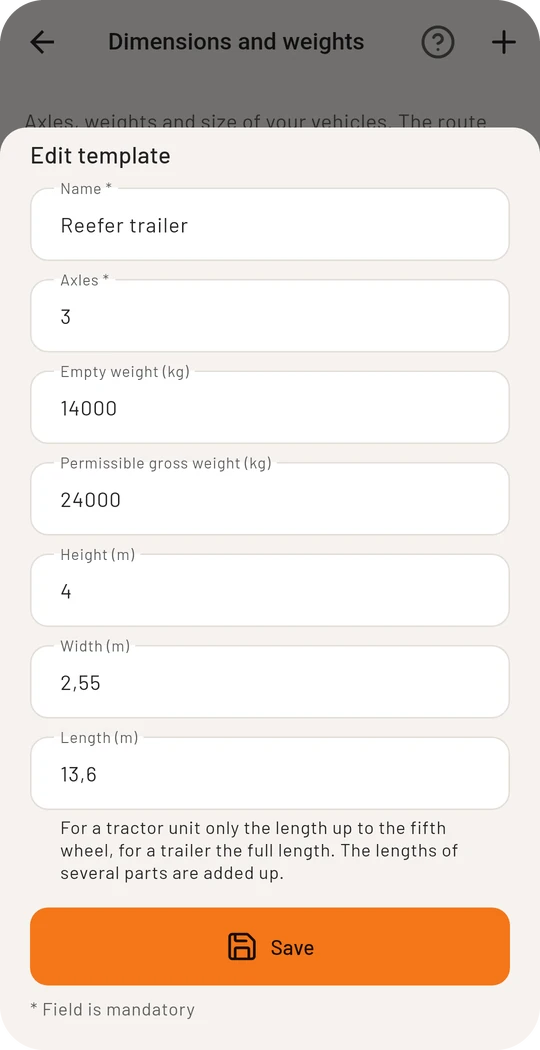
For the length, the length of the part counts: for a tractor unit only up to the fifth wheel, for a trailer the full length. The lengths of all parts of a combination are added up.
Assign it to a vehicle
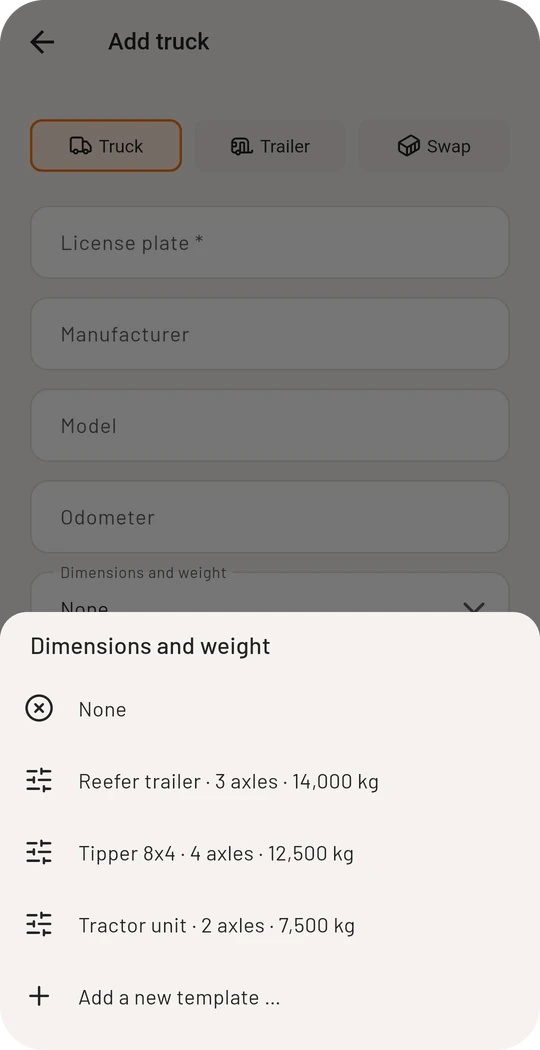
Every vehicle picks its own template, when you add it and when you edit it: tap Dimensions and weight in the form and choose a template, None or Add a new template …. A new template is chosen right away. Several vehicles can use the same template, so you can tell different trucks and trailers apart.
How it goes into the route
The route on the map is calculated per section with the vehicle of the stop you drive to:
- Weight: empty weights of all parts plus the cargo on board on that section (by the stops of the load and their quantities). The permissible gross weight matters for time restrictions like “over 7.5 t”, the actual weight for signs with a stated weight.
- Size: greatest height and width, length as a sum, axles as a sum.
- Time of day: departure time of the stop, for a running shift the current hour.
Notes
- The values are your own. If they are wrong, the route is wrong too.
- Without a template on the truck the route stays as before, without vehicle data.
- Rejected loads are only counted approximately. In a running shift the current hour applies to all sections still ahead.
- The data comes from HERE and is not free of errors. The route replaces neither the signs nor a navigation device.
- The templates are also available offline, they are added and changed with an internet connection.