Regular tours and optimisation
Save rounds as regular tours and add them to a shift with one tap, sort tours by shortest driving time.
Both are part of Premium.
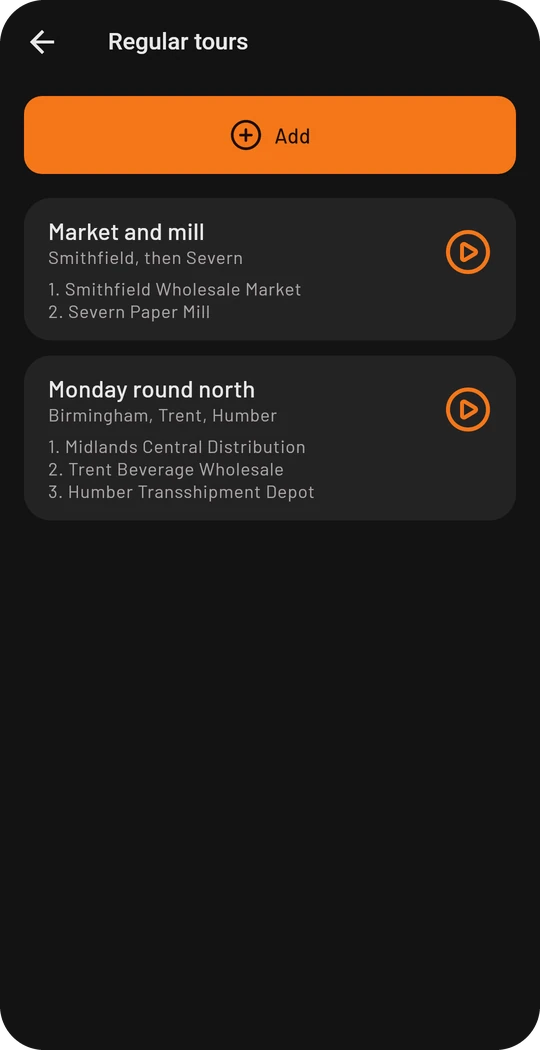
Regular tours
Regular tours are rounds you drive again and again: a list of locations in a fixed order, with a fixed vehicle per stop if you like. You create them under Settings → Regular tours or with the button in the list of locations. During a shift every regular tour has an orange button on the right: it adds all stops to your shift at once.
Optimize tours
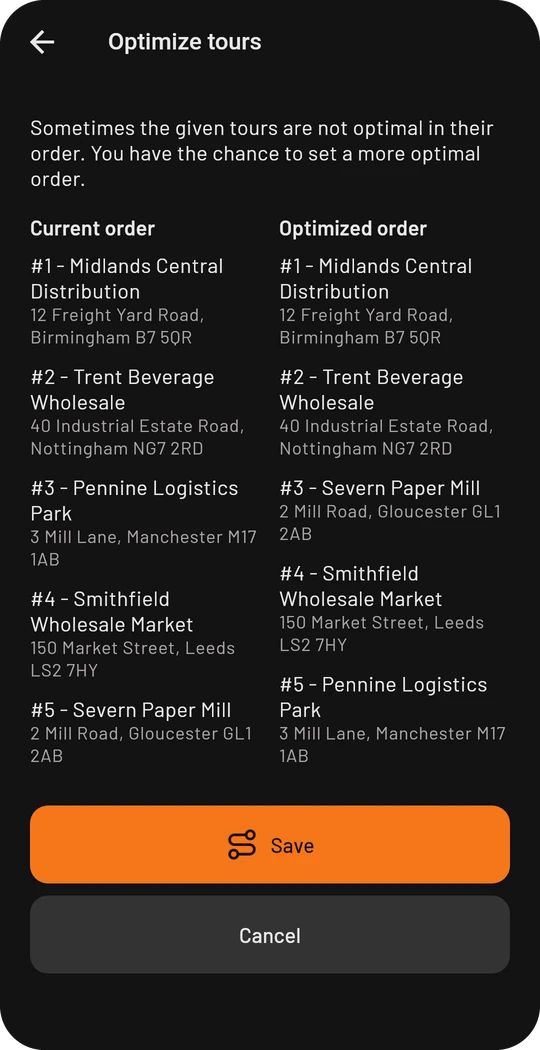
Optimize tours in the sidebar suggests an order with the shortest driving time for up to 15 stops. Your order is on the left, the suggestion on the right. Nothing is saved until you tap Save. The entry is there from three stops on and only as long as you have not left the first stop.
- The driving times are calculated for trucks, with the vehicle from your dimensions and weights.
- If your position is known (you have arrived somewhere or the phone provides it), the order is planned from there: the first stop is then a stop like any other. With the switch Keep the first stop it stays the first one instead and only what comes after is optimised. Without a known position, or once you have reached the first stop, it stays fixed.
- With the switch Keep the last stop the end stays too, for example the return to the yard. Without the switch the end is chosen freely.
- Loads count: a load is taken on first and unloaded afterwards. If the weights are known, your vehicle is not overloaded.
- Stops without a found position cannot be optimised.
The suggestion is an aid for planning, not navigation. Opening hours, driving and rest times and traffic are not taken into account.